

toha
Generate projects and files from templates.
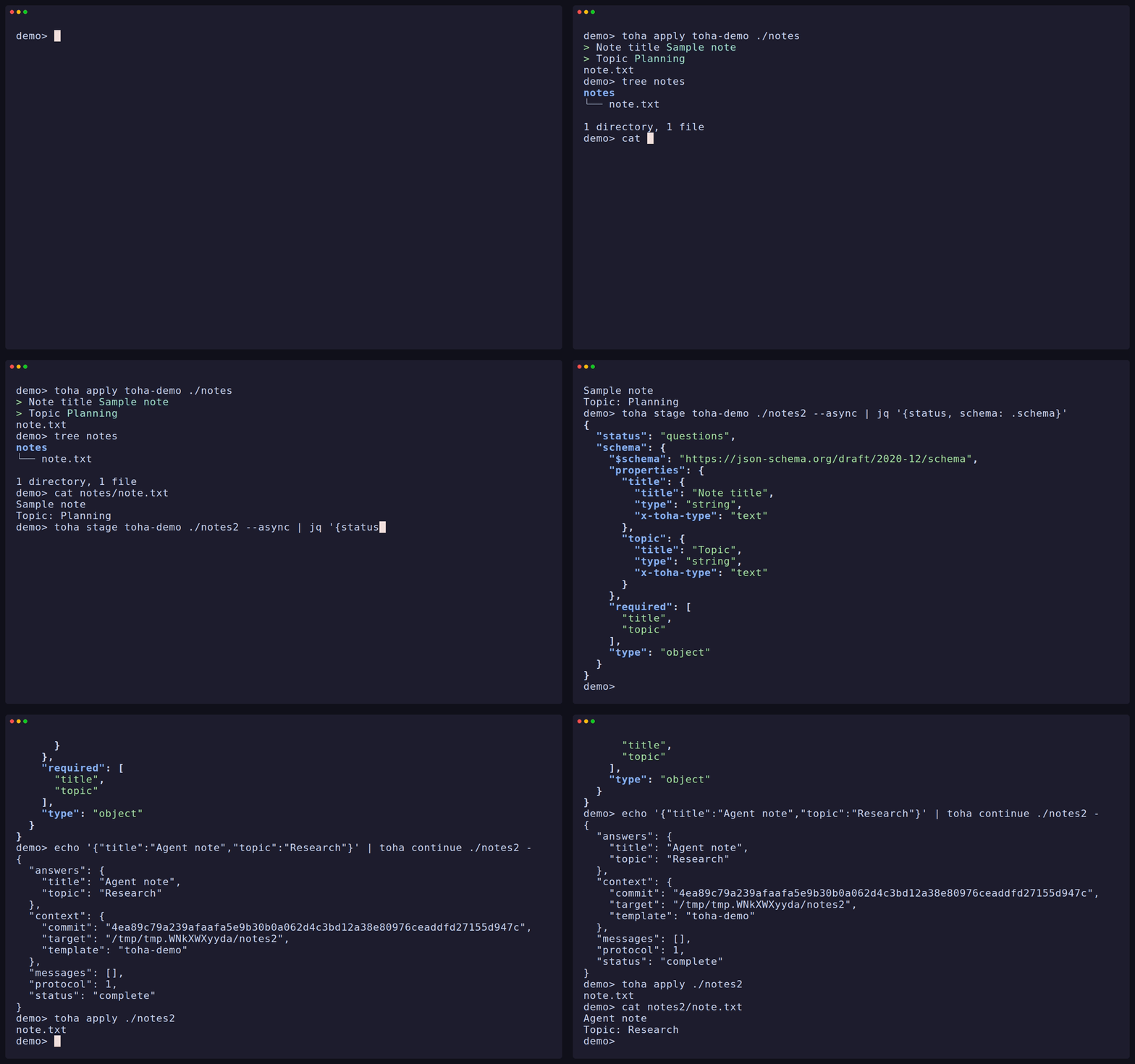
Toha uses one interview for terminal users, scripts, agents, and Rust callers.
Install with Homebrew (macOS, Linux)
brew install wyrd-company/tools/toha
More
-
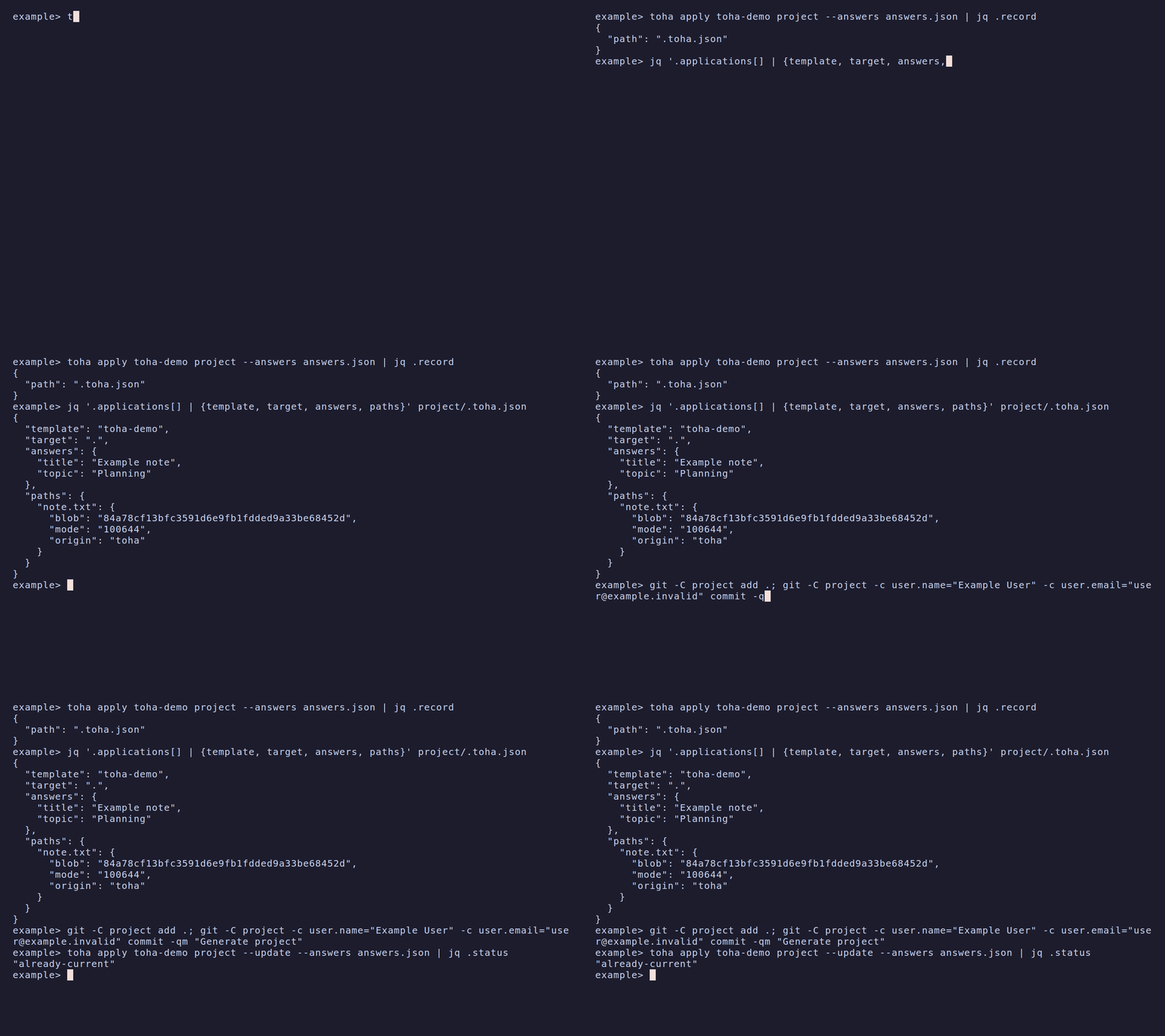
02 Toha records an application, then updates the project from it.
What it does
-
Runs one interview from a terminal, a script, an agent or the Rust crate.
-
Resumes an interview later, or takes its answers from a JSON file, including whole documents.
-
Renders file paths and contents with typed Jinja values, conditions and loops, and previews the plan before it writes.
-
Injects bounded regions and typed JSON values into files that already exist.
-
Records each application in .toha.json, and updates generated projects while it keeps your edits.
-
Runs template hooks only after you trust the template.
Install
brew install wyrd-company/tools/toha
cargo install toha
macOS arm64
gh release download --repo wyrd-company/toha --pattern 'toha_*_macos_aarch64.tar.gz'
tar -xzf toha_*_macos_aarch64.tar.gz
sudo install toha /usr/local/bin/toha
macOS x86_64
gh release download --repo wyrd-company/toha --pattern 'toha_*_macos_x86_64.tar.gz'
tar -xzf toha_*_macos_x86_64.tar.gz
sudo install toha /usr/local/bin/toha
brew install wyrd-company/tools/toha
Debian, Ubuntu
Set up the repo.wyrd.foo APT repository (once)
sudo install -d -m 0755 /etc/apt/keyrings
curl -fsSL https://repo.wyrd.foo/pubkey.gpg |
  sudo tee /etc/apt/keyrings/wyrd-company.gpg >/dev/null
echo "deb [signed-by=/etc/apt/keyrings/wyrd-company.gpg] \
https://repo.wyrd.foo/apt stable main" |
  sudo tee /etc/apt/sources.list.d/wyrd-company.list >/dev/null
sudo apt update
sudo apt install toha
Fedora, DNF
Set up the repo.wyrd.foo RPM repository (once)
sudo curl -fsSL https://repo.wyrd.foo/wyrd.repo \
  -o /etc/yum.repos.d/wyrd.repo
sudo dnf install toha
paru -S toha-bin
cargo install toha
Linux x86_64
gh release download --repo wyrd-company/toha --pattern 'toha_*_linux_x86_64.tar.gz'
tar -xzf toha_*_linux_x86_64.tar.gz
sudo install toha /usr/local/bin/toha
Linux aarch64
gh release download --repo wyrd-company/toha --pattern 'toha_*_linux_aarch64.tar.gz'
tar -xzf toha_*_linux_aarch64.tar.gz
sudo install toha /usr/local/bin/toha
cargo install toha
Windows x86_64
gh release download --repo wyrd-company/toha --pattern 'toha_*_windows_x86_64.zip'
Expand-Archive -Path toha_*_windows_x86_64.zip -DestinationPath toha
Documentation
Get started
Basics
Authoring templates
Templates
The interview
Using Toha
Library
Library
Releases
Features
- Preserve named user sections inside generated files on apply and update.
- Create empty directories from rendered template paths with optional each and when rules. Preserve existing directories and their contents, preview missing directories, and create them during apply, baseline and update.
Fixes
- Allow applying templates into unborn worktrees of bare repositories and honor their working-tree attributes.
- Validate the locked public-library consumer in hosted CI and document refreshing both release lockfiles.