

























Asking questions
A template asks questions through the interview list in template.yml.
Toha asks them in the order you write them. It saves each answer under the
question’s id, so later questions and generated files can use that answer.
Start with one question:
interview:
  - id: title
    type: text
    prompt: Note title
Here title is the answer’s name, text says what kind of answer to collect,
and prompt is what the person sees. Every question needs all three fields.
An id must start with a lowercase letter or underscore and then contain only
lowercase letters, digits, or underscores. For example, note_title is valid.
Choose an answer type
text: one line
Use text for a short string, such as a title or file name.
- id: title
  type: text
  prompt: Note title
The answer is a string. In a file, {{ title }} inserts that string. If you
need several lines, use multiline instead. To collect several one-line
answers as a list, use loop.
multiline: several lines
Use multiline for a paragraph or another answer that may contain newlines.
The terminal driver opens an editor when it can; its help explains the
fallback when an editor is unavailable.
- id: summary
  type: multiline
  prompt: Summary
The answer is still one string. Toha keeps its newlines when it renders a file.
document: a JSON file
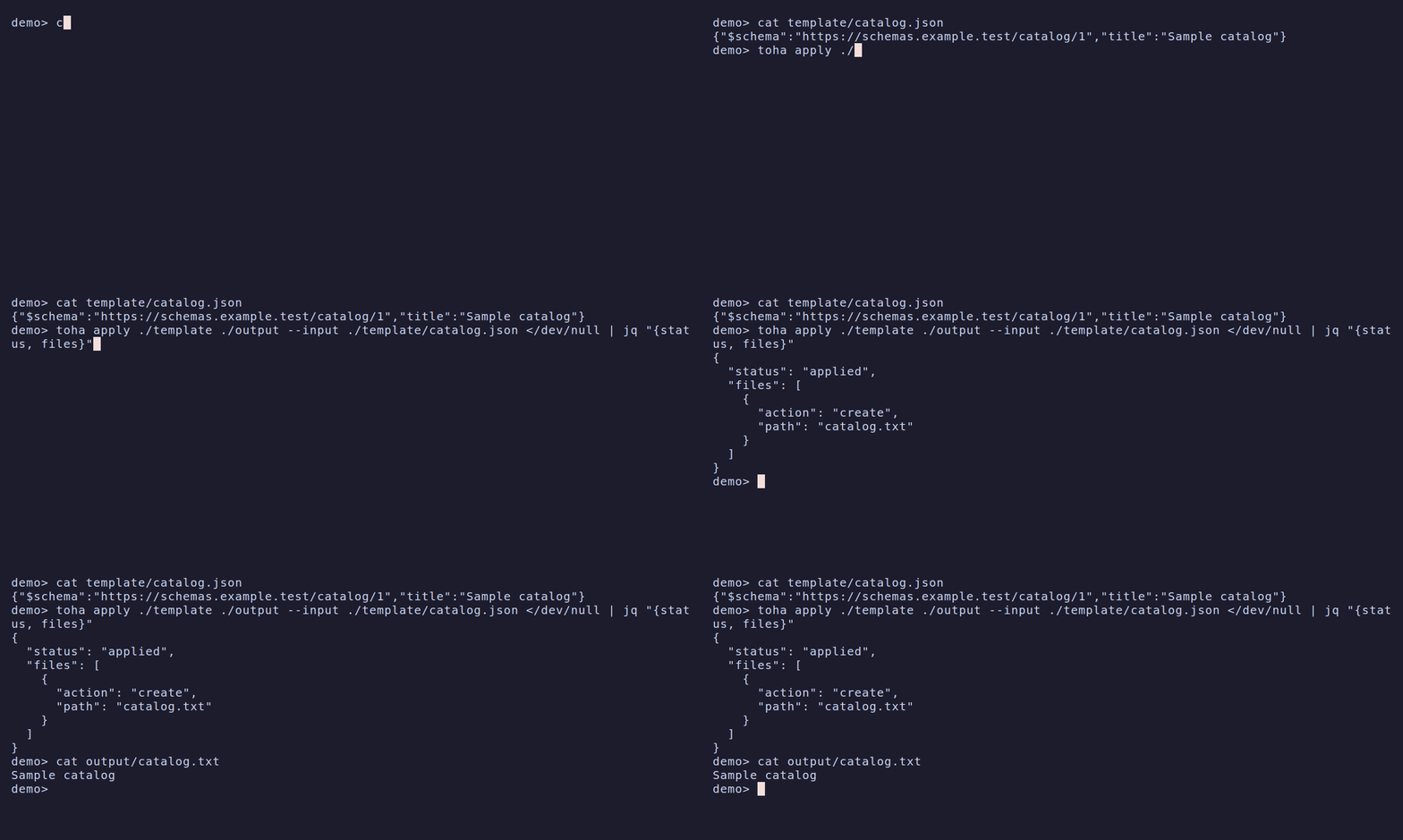
Use document to accept a complete JSON object, such as a catalog. Name the
schema URI and a default file relative to the target:
name: catalog-view
schemas: schemas
interview:
  - id: catalog
    type: document
    prompt: Catalog file
    schema: https://schemas.example.test/catalog/1
    input: catalog.json
Vendor the schema as schemas/catalog.yml (JSON works too):
$id: https://schemas.example.test/catalog/1
type: object
required: [title]
properties:
  title:
    type: string
The input document can be:
{"$schema":"https://schemas.example.test/catalog/1","title":"Sample catalog"}A generated file can use {{ catalog.title }}. The answer keeps the entire
object. For an unanswered question, Toha reads catalog.json from the target
at the start of the run.
The path can reach a parent directory inside the target repository; without
Git it must stay inside the target. A missing file leaves the question
unanswered. An invalid default file stops the run before it writes output.
Use toha apply ./catalog-view ./output --input ./another-catalog.json to
select a different file for one run. Repeat --input for different schemas.
The $schema string routes the file to every question that accepts that URI.
It overrides a value for catalog in an answers document, which overrides the
default file when the question is unanswered. stage --async --input FILE
and continue PATH --input FILE accept the same document. Once a staged
interview records an answer, it keeps that document for the session. A later
default file cannot replace it. To change a recorded answer, abort and stage
again. A missing $schema, an unaccepted URI, or two inputs for one question
is a usage error (exit 2).
If you type an unreadable path or select a file that is not a JSON object, Toha reports the error and asks for a path again. It keeps your earlier answers.
A question can name a list of accepted schema URIs. The document’s $schema
selects one by exact string equality; it can be absent only when the question
accepts one schema. Toha indexes YAML and JSON schemas by $id, including
nested directories, and resolves schema references from that index first.
Missing or duplicate $id values stop template loading.
Vendoring is the working path. An unvendored URI requires an HTTPS fetch;
that fetch must succeed before the interview starts. Hosted schema URIs such
as https://intentional.foo/schemas/release-model/1 do not resolve until their
hosting exists. The example URI above needs its vendored schema.
The runnable example is in docs/examples/document.
The integration tests in tests/document_questions.rs cover these examples,
precedence, batches, and invalid-file refusals.
git: a repository for the target
Use git when the generated project should be a git repository. The person
enters the URL of its remote, or leaves the answer empty for none.
- id: remote
  type: git
  prompt: Remote URL (empty for none)
When the interview reaches this question, Toha initializes the target as a git
repository after it writes the files and before any hook runs, so hooks can use
git. The branch is your configured init.defaultBranch; if that is unset or
master, Toha uses main. A URL answer becomes the origin remote.
Toha checks the remote before it writes anything. If the remote already has history, Toha stops and tells the person to clone it first, then apply the template into the clone. If Toha cannot reach the remote, it adds the remote, shows a warning, and continues.
A target that is already inside a git repository stays as it is. If a when
skips the question, Toha does not initialize a repository. A template can have
only one git question. Toha checks that git is on PATH before the
interview starts, as if the template listed it in requires.
confirm: yes or no
Use confirm for a decision. Its answer is a boolean: true or false.
- id: include_summary
  type: confirm
  prompt: Include a summary?
  default: false
You can use that answer in a later condition, such as
when: include_summary.
select: one choice
Use select when the person must choose one item from options.
- id: priority
  type: select
  prompt: Priority
  options: [ low, normal, high ]
  default: normal
The answer is the selected string. options is required. You can write a
literal list, as above, or an expression that returns a list of strings:
options: "priorities | map(attribute='name') | list"In that example, priorities must already be available from data or an
earlier answer. Toha evaluates the expression before asking the question.
multiselect: several choices
Use multiselect when the person can choose multiple items from options.
The answer is a list of strings, even when only one item is selected.
- id: labels
  type: multiselect
  prompt: Labels
  options: [ personal, shared, archived ]
  default: []
As with select, options is required and can be a literal list or an
expression that returns a list of strings. The default must be a list; []
means no selections.
Help the person answer
description adds explanatory text to a question. placeholder shows an
example or hint in the input field. Both can contain Jinja substitutions from
earlier answers.
- id: slug
  type: text
  prompt: File name
  description: Used for the note's file name
  placeholder: "{{ title | kebab }}"
The prompt asks for the answer. The description explains its use. The
placeholder suggests a value but does not supply one; use default for that.
Supply a default
default preselects an answer that the person can accept or change. For
text, multiline, and select, it is a string template. It can include
an earlier answer:
- id: slug
  type: text
  prompt: File name
  default: "{{ title | kebab }}"
For confirm, the default is a boolean. For multiselect and a repeated
text question, it is a list of strings. These non-string defaults can be
literals or Jinja expressions that return the required type:
- id: include_summary
  type: confirm
  prompt: Include a summary?
  default: "title | length > 20"
Here the quoted value is evaluated as a boolean expression; Toha does not
render it as text. Configuration can replace a question’s default only through
a template-defaults mapping for the selected template’s formal name. The
mapping can use an inline value or refer to a named preset. Toha reads the live
mapping and preset again when a staged interview resumes. See
Configuration.
A template default must satisfy the same options and constraints as an entered answer. If it does not, Toha reports a template error and stops. It does not ask the person to repair the template’s value. When a question is skipped, Toha checks the default against constraints whose inputs are already available. It does not render the skipped question’s prompt, description, or placeholder.
A configured default belongs to the caller. If its answer type is correct but a constraint rejects it, the question has no preselected value, the error names the winning configuration entry, and an entered answer can replace it.
Require and validate answers
Set required: true to reject an empty answer. You can also use an expression
that returns a boolean when the requirement depends on an earlier answer.
- id: title
  type: text
  prompt: Note title
  required: true
  validate:
    min: 3
    max: 80
validate.min and validate.max set the allowed length of a string. For
multiselect, they set the number of selected items. They accept a
nonnegative integer or an expression that returns one. A text question can
also use validate.regex to require a pattern:
- id: slug
  type: text
  prompt: File name
  validate:
    regex: '^[a-z0-9-]+$'
validate.regex also works on other string answers. Toha checks an answer
before storing it. A choice question also checks that every chosen item is in
its options.
Change an answer with format
Use format when Toha should transform a valid answer before storing it.
The expression receives the submitted answer as value:
- id: slug
  type: text
  prompt: File name
  format: value | kebab
If the person enters Meeting Notes, later questions and generated files see
meeting-notes. Toha validates the submitted value first, then applies
format. For a repeated text question, it validates and formats each item.
Ask for a list with loop
A text question with loop asks for one item at a time. The person enters
an empty line to finish. Toha stores the answer as a list of strings.
- id: tags
  type: text
  prompt: Tag (empty to finish)
  loop:
    min: 1
    max: 5
  format: value | lower
loop.min requires at least that many items. loop.max ends the loop when
that number is reached. Each bound accepts a nonnegative integer or an
expression. validate and format apply to each item; loop.min and
loop.max apply to the whole list. Only text questions support loop.
Ask a question only when it applies
Set when to an expression that returns a boolean. Toha asks the question
only when it is true:
- id: include_summary
  type: confirm
  prompt: Include a summary?

- id: summary
  type: multiline
  prompt: Summary
  when: include_summary
If include_summary is false, Toha skips summary. A skipped question uses
its default when it has one. Without a default, Toha records an empty list
for a repeated text or multiselect question, and none for the other
types. Generated files can use that value to decide what to render. A question
skipped by a flow { skip: rest } or { skip: group } takes the same value.
For groups, calculated values, and flow control, continue with
Controlling the interview. For the expression
syntax used by when, default, and other fields, see
Jinja and values.