

























Overview
Menagerie manages workspaces and fleets of development containers through a web UI. A workspace is a folder in the workspace root, created from a Toha template, together with the devcontainer it defines.
- Create. A manager picks an approved template, names the workspace and answers the template’s interview. Toha writes the folder, the template’s hooks run in throwaway containers that see only that folder, and devcontainer-builder starts the devcontainer.
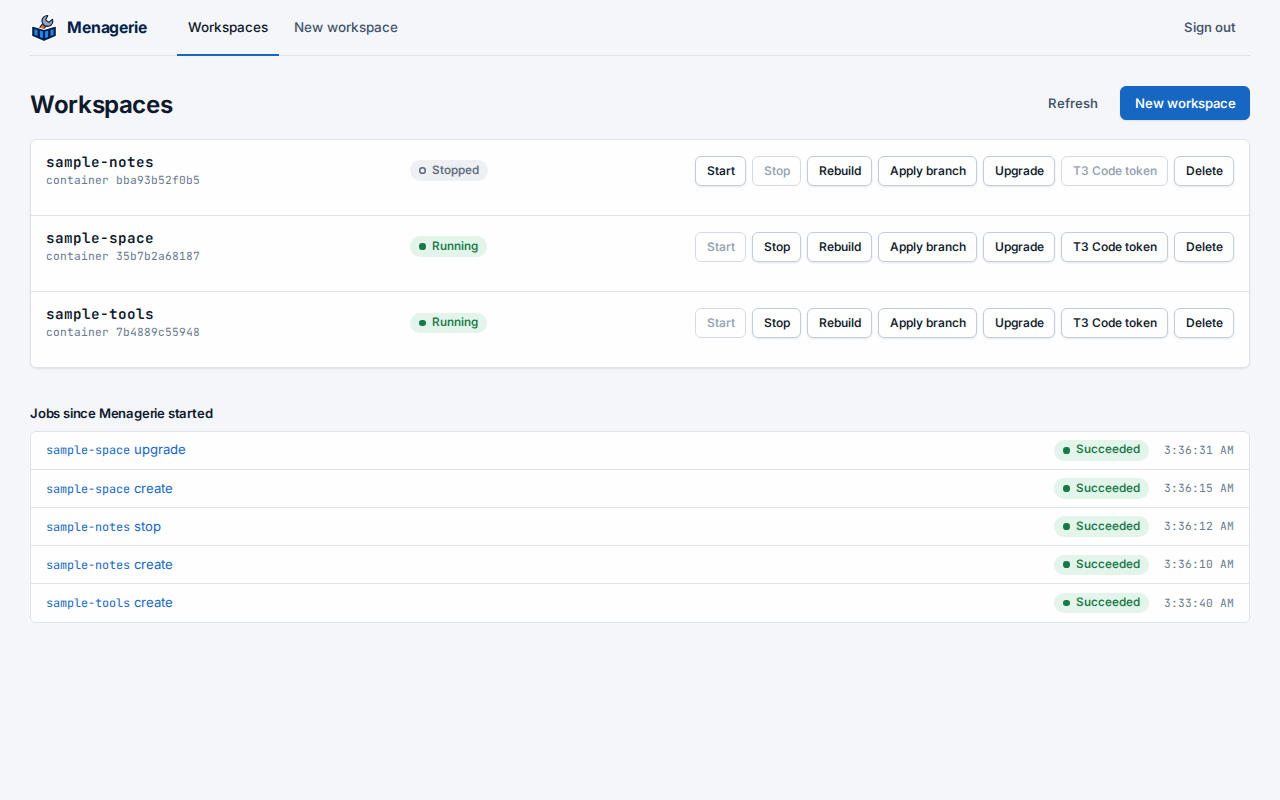
- See the fleet. The list shows every workspace folder in the workspace root and the state of its container. Containers that belong to no workspace do not appear.
- Operate. Stop, start and rebuild a workspace’s devcontainer. Each operation is a job whose console shows its phases and log.
- Upgrade. Move a workspace to a newer template version. Menagerie asks only the new questions, keeps local edits, and rebuilds the devcontainer.
- Apply a reviewed branch. Bring a branch of the backup repository, such as a reviewed pull request’s head, into a workspace. Menagerie backs the workspace up first, fast-forwards or merges file by file, refuses anything that would not apply cleanly, and rebuilds the devcontainer.
- Back up. Every workspace is a Git repository, pushed to its own branch
in one backup repository after each job that changes it. Menagerie can also
commit and back up changes on a schedule, and a devcontainer can ask for a
commit of its own workspace with
workspace-commit.
The workspace files are the source of truth. Menagerie has no database: the
answers live in each workspace’s .toha.json, containers live in Docker,
and jobs live in memory until Menagerie restarts.
Menagerie runs as one container on a Linux host with Docker. It signs
managers in through your OpenID Connect provider, and
Wyrwood connects it to OpenBao for Git
signing and registry credentials. SSH and GitHub App private keys stay in
OpenBao; signing uses Wyrwood’s sockets. Menagerie holds GitHub App
installation tokens in memory and stores its generated interview signing
key at /var/lib/menagerie/toha/session-key.
Start with Installation.