

























Usage
Sign in at Menagerie’s address with your identity provider. Members of
menagerie_managers see the workspace list; anyone else sees a page that
says they are not a manager, and can change nothing.
The workspace list
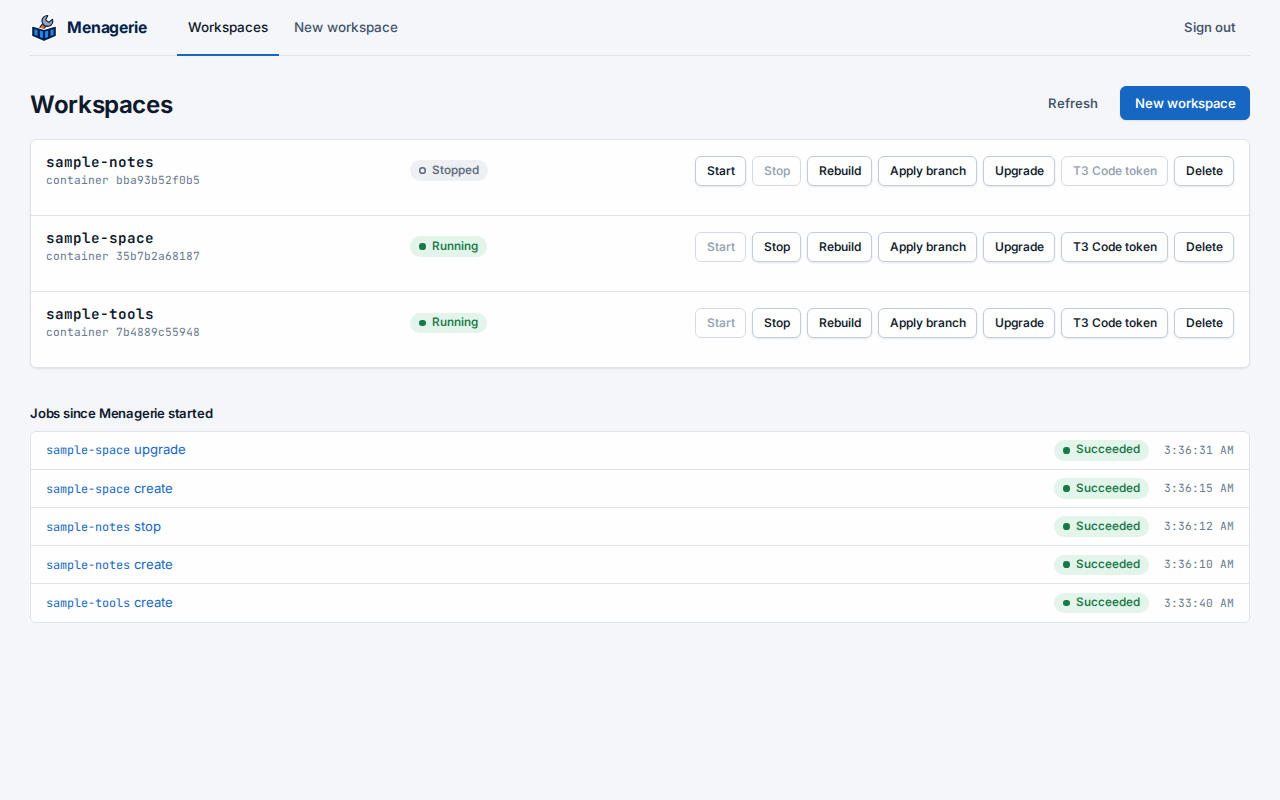
Every folder in the workspace root is a row, unless its name starts with a dot, with its container’s state: Running, Stopped, or No container for a folder whose devcontainer was never created. Containers that belong to no folder in the root do not appear. Refresh reads the folders and containers again.
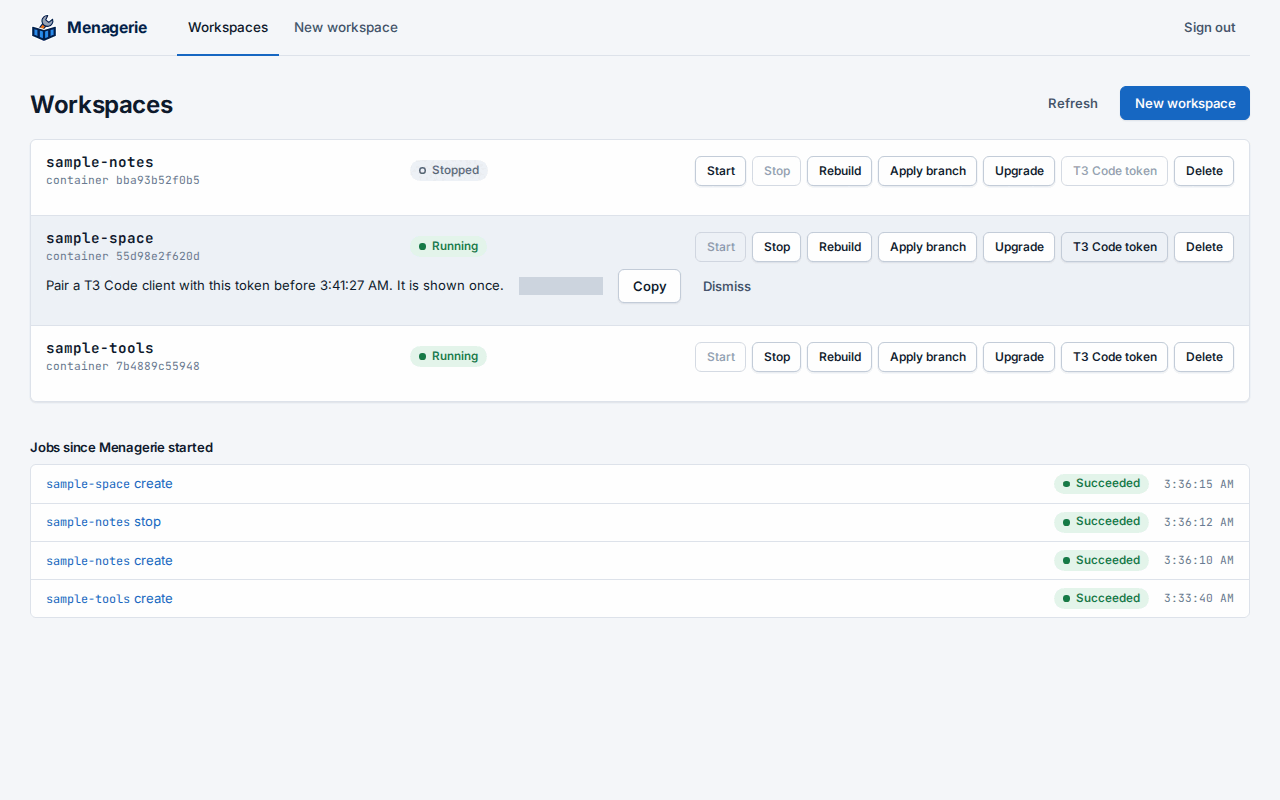
Each row has Stop, Start, Rebuild, Apply branch, Upgrade and T3 Code token. A commit, from the schedule or the workspace itself, shows on its row as committing. Rebuild asks for confirmation, then removes the container and creates it again from the workspace’s definition. While a job runs on a workspace, its row is busy and its actions wait: a workspace runs one job at a time. Other workspaces stay usable.
Jobs since Menagerie started lists every job and its outcome. Open one to see its console. Jobs live in memory, so the list starts empty after a restart.
Create a workspace
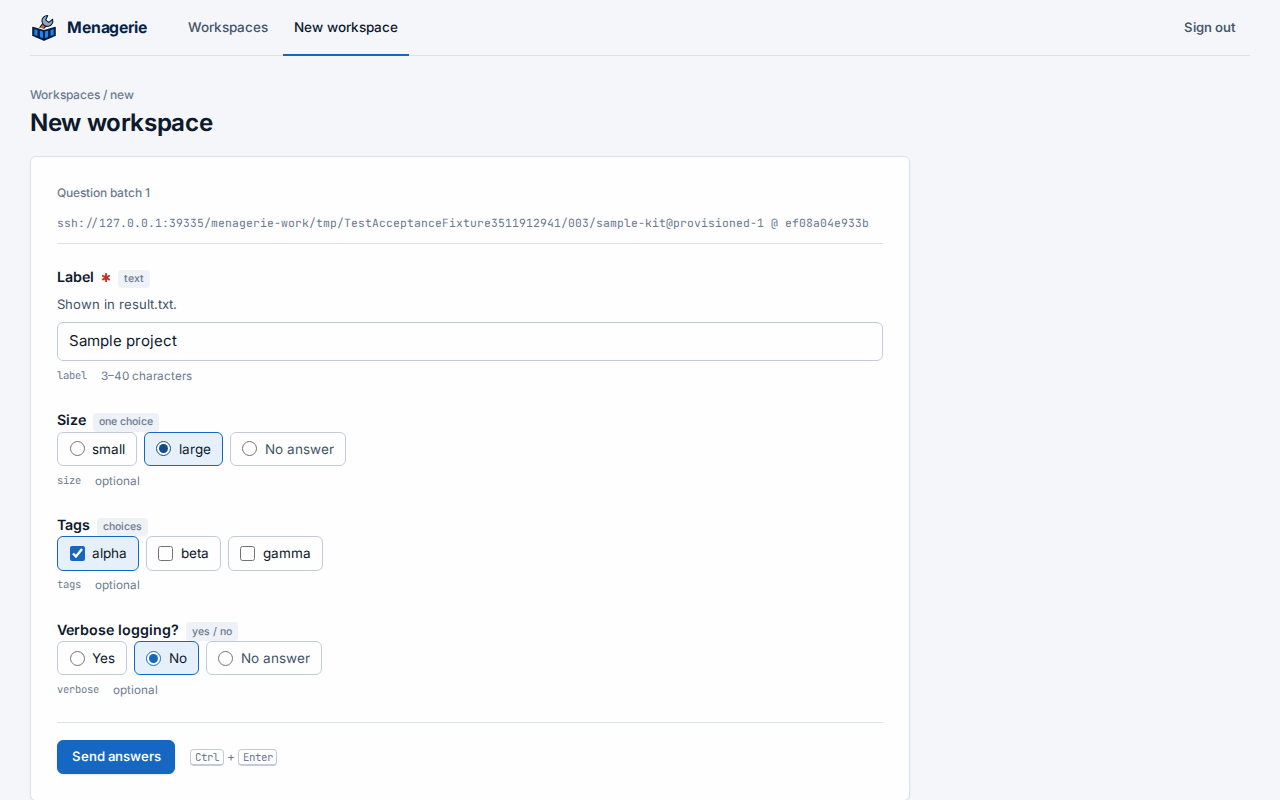
Choose New workspace, pick a template and enter the workspace’s name, which becomes its folder. Begin interview asks the template’s questions. Answers that the template refuses come back marked on their questions, with your answers kept, so you can correct them and send again. Nothing is written until the interview is complete.
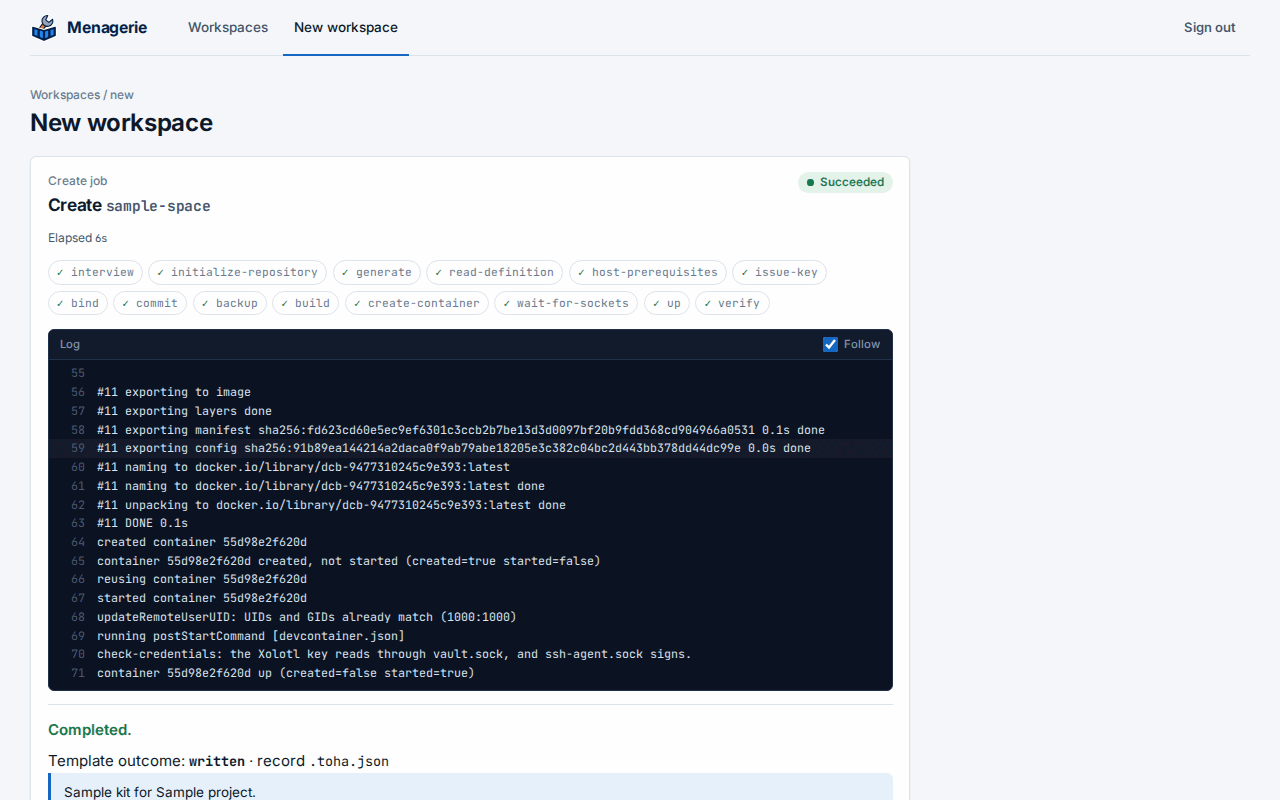
The job console then shows each phase:
initialize-repository: the folder becomes a Git repository.generate: Toha writes the files and runs the template’s hooks, each in a throwaway container that sees only the workspace folder. Output a hook does not capture appears in the console, each line prefixedhook:.host-prerequisites: Docker checks the bind sources outside the workspace folder and the networks ofrunArgs. The job fails ashost-prerequisites-missingwhen the host lacks any, and the message names them all. Nothing is committed or started.commitandbackup: the first commit, pushed to the workspace’s own orphan branch in the workspace repository.initialize-command: the devcontainer’sinitializeCommand, in throwaway containers that see only the workspace folder, with only the variables oflocal-envbeside the runner image’s own.buildwhen the definition builds an image, thenup: the devcontainer starts.
The answers are kept in the workspace, in .toha.json.
If a branch with the workspace’s name is already in the workspace repository,
from a workspace that was deleted, the backup phase first copies it to
archive/<name>-<UTC stamp>, and the console names the copy.
When a create fails after generate, Start finishes it: the commit and
backup that did not run, then the devcontainer. Until its first backup lands, any
job’s first push copies the earlier branch first. A second create of that name is
refused while the folder exists.
A workspace with a provisioning declaration
A template that renders a customizations.menagerie block in its definition
gets a Wyrwood binding and, when it asks for one, a Xolotl client key, with no
step in a CLI or a web interface, once the host is
prepared. The console shows these phases in a create:
read-definition: the block is read and checked. The job fails asprovisioning-invalidwhen the block is not valid, when the definition has no--nameinrunArgs, and when another workspace holds the container name or the key. The job fails asprovisioning-unavailablewhenprovisioninglacks the section the block needs.host-prerequisites, as above.issue-key: the Xolotl key. A key that exists stays as it is, and the console says when it is disabled or expires.bind: the Wyrwood binding. A binding that differs from the definition is removed and made again while the container is stopped, and the console names the fields.commitandbackup,initialize-commandandbuild, as above.create-container: the container, not started. A bind with an SELinuxzorZoption orbind-create-srcfails here, so such a definition uses neither.wait-for-sockets: the job reads the binding’s status until the agent reports this container with the declared access group and both sockets. The console shows each change of the status and the agent’s last error.up: the container starts, with its sockets, and its lifecycle commands run.verify: the status again, with the container running. What the container needs from its sockets is the template’s to check in a lifecycle command, whose failure fails the job.
Each step is safe to repeat. A job that fails leaves what it finished, and Start continues from what is missing: it does not rotate the key or write the binding again. It replaces a container that has a name the definition no longer declares, because a rebuild that failed left it. Start is off while a container runs, so after an upgrade that failed with the old container still running, Stop it, then Start. A rebuild, an upgrade’s rebuild and an apply-branch’s rebuild run the same steps without the commit and backup. A start of a container that exists goes on when Xolotl cannot be reached, with a note in the console; any other failure of a step fails the job.
Before an upgrade or an apply-branch changes the definition, Menagerie records the
container name and key it declares. A job that ends with the devcontainer started
then runs retire: it unbinds each recorded name and revokes each recorded key
that no workspace declares any more. A definition edited by other means has no
record, so what it stops declaring stays until an operator removes it in the
Wyrwood and Xolotl web interfaces.
Before each create, start, rebuild and upgrade, Menagerie creates any missing bind source folder inside the workspace folder, so a clone of a backup starts: Git keeps no empty folder. The job console names each folder it creates.
A string in mounts is read as Docker’s --mount value: without type= it
is a volume, not a bind, and a space around a field or a value is refused.
Upgrade a workspace
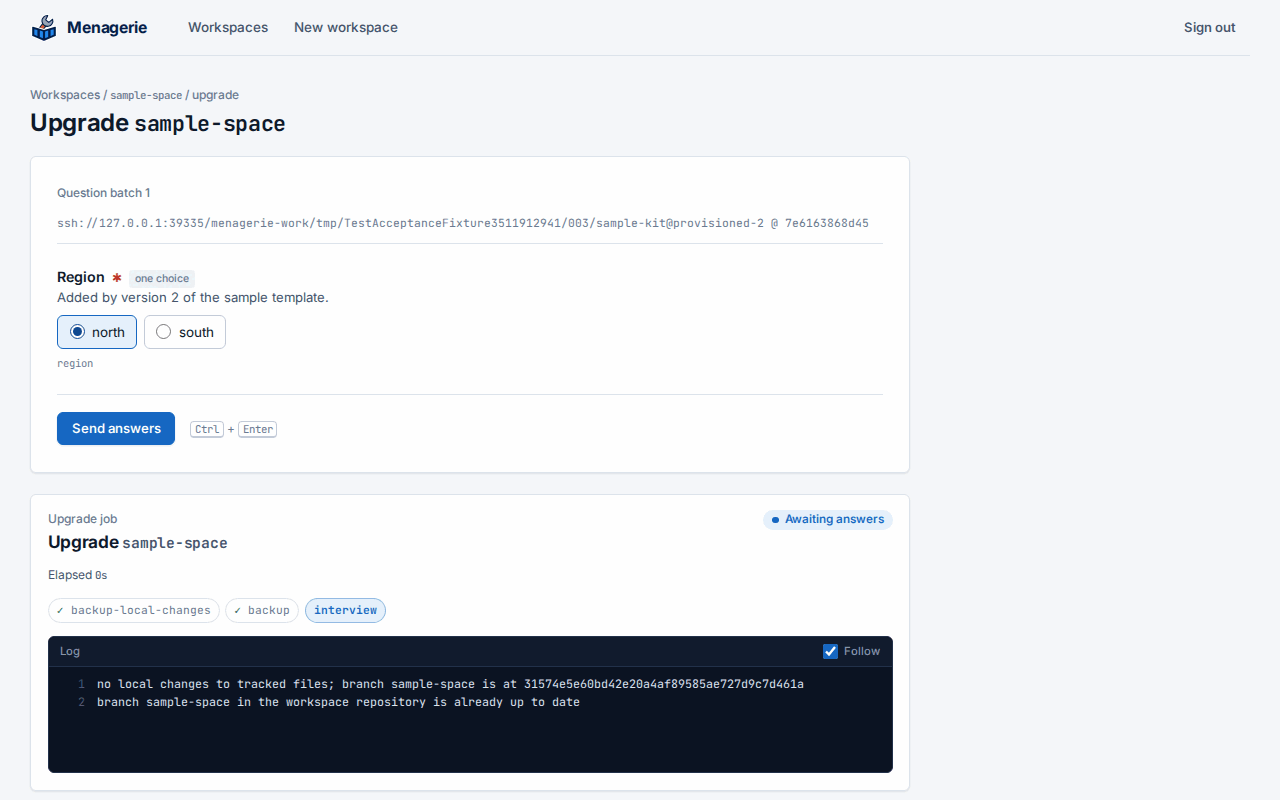
Upgrade offers the approved templates. Pick the newer version and choose
Begin upgrade. Menagerie first commits any local changes and backs the
workspace up, so the state before the upgrade is on its branch. Then it asks
only the questions the new version adds; earlier answers come from
.toha.json. Toha applies the new version to a separate checkout of the
workspace and runs the template’s hooks there, each in a throwaway
container that sees only that checkout; then it merges the result into
the files, keeping your edits, and Menagerie commits, backs up and
rebuilds the devcontainer.
An earlier answer that still fits the new version is not asked again, even when the new version adds options to its question. To change it, check Ask every question again before Begin upgrade: every question is asked, filled in with the workspace’s recorded answers, and a question you leave as it is keeps its answer. Documents are still read from their files in the workspace.
When the new version and a local edit change the same lines, the upgrade
writes conflict markers, commits and backs them up, and stops before the
rebuild with merge-conflicted. Resolve the conflicts in the workspace,
then choose Rebuild.
Apply a reviewed branch
A change to a workspace, such as its .devcontainer/ content, can be
proposed and reviewed as a pull request, then brought into the workspace
with Apply branch:
- Push the change to a branch of the workspace repository and open a pull request whose base is the workspace’s branch.
- Review it, but do not merge it on the forge: the workspace’s next backup would replace the merge.
- In the workspace’s row, choose Apply branch, enter the pull
request’s head branch, for example
review/devcontainer, and choose Apply.
The job console shows each phase:
fetch: Menagerie fetches only that branch from the workspace repository.backup-local-changesandbackup: it commits every local change, as a commit does, and backs the workspace up. When the branch is the workspace’s own, it commits but does not push, and there is nobackupphase here, so that the branch’s commits stay on the workspace repository.plan: Menagerie works out the apply without writing anything. When the branch extends the workspace’s branch, the workspace fast-forwards to it. When both have changed, Menagerie merges them file by file and commits the merge asApply <branch> to workspace <workspace>. A plan that cannot apply fails here and leaves the devcontainer running.stop: the devcontainer stops, with every service of its Compose project, so that nothing writes to the workspace while the apply does. What it wrote before it stopped is committed (and backed up, for another branch than the workspace’s own), and the plan is made again.apply: Menagerie refuses while another running container mounts the workspace folder (the console names it by its short id), then writes only the files that change.backup, then the rebuild of the devcontainer.
When the apply is refused after the stop, nothing is applied and the devcontainer returns to its state before the job: Menagerie starts it again if it was running. Whenever a job leaves the devcontainer stopped, its console ends with “the devcontainer is stopped; start or rebuild it”.
The backup after the apply pushes the branch’s commits to the workspace’s branch, and the forge marks the pull request merged. A branch already in the workspace’s history changes nothing and does not rebuild; when it is the workspace’s own branch, the job still backs the workspace up.
Menagerie writes only through real folders of the workspace, never
through a symbolic link, and moves the files it replaces to
.menagerie-apply-… names first. When the job fails as apply-failed,
the devcontainer stays stopped, and the message and console name each
file still under such a name with its path.
The job fails, with nothing applied, when:
| Kind | Meaning |
|---|---|
branch-not-found | The workspace repository has no branch of that name. Nothing changed, local changes included. |
fetch-failed | The workspace repository could not be reached. Nothing changed. |
not-applicable | The branch cannot be applied cleanly. The console lists the paths, one not applicable: line each, and the message says why: both sides changed the same file, the branch and the workspace share no history (or more than one merge base), an untracked or ignored file, folder or link, or a nested repository, is where the branch writes, the change has a submodule or a path Menagerie does not write (a .git part in any spelling, git~1, an absolute path, a tab or a newline), a file changed while the job ran (the change is kept), another running container mounts the workspace folder, the workspace repository is shallow, or part of the branch’s history is missing. Local changes are committed, and backed up unless the branch is the workspace’s own. Rebase the branch on the workspace’s branch, or move the files in the way, and apply again. |
backup-failed | The backup before or after the apply failed. The message says which; a failed backup after the apply leaves the applied files and does not rebuild. |
apply-failed | Writing the files failed partway. The branch did not move; the message names the commit to recover from by hand. |
A merge never writes conflict markers: a file both sides changed is
not-applicable. The applied record .toha.json is merged like any other
file. Prefer a branch that is not the workspace’s own. When an apply of
the workspace’s own branch is refused, the workspace repository keeps the
pushed commits, and the message names the fetched commit, until the next
backup of the workspace replaces them.
Backups
Each workspace is backed up to a branch named after its folder, created without a parent and replaced by force at every backup. Commits pushed to that branch from elsewhere survive only when Apply branch brings them in before the next backup. To restore a workspace, clone its branch into a folder in the workspace root by hand; Menagerie lists it like any other folder.
Commit from inside a workspace
When Menagerie has workspace sockets,
every devcontainer has /run/menagerie/bin/workspace-commit. It commits
every change of the workspace, as git add --all and a commit would, and
backs the workspace’s branch up:
/run/menagerie/bin/workspace-commit -m "feat: add the build scripts"It waits for the job and prints its id, the commit, and whether the backup pushed it. A commit job also appears in Jobs since Menagerie started, with its whole log. The exit status says what happened:
| Status | Meaning |
|---|---|
| 0 | Committed (or nothing to commit) and backed up. |
| 1 | The job failed, as commit-failed or backup-failed for example. The job’s console has the detail. |
| 2 | Usage error, or a message that is blank, longer than 4096 bytes, or holds a NUL. |
| 3 | The workspace has a job in progress, committed less than the minimum interval ago, or Menagerie is shutting down. It prints when to retry. |
| 4 | The socket cannot be reached: the container was created before Menagerie had workspace sockets, or Menagerie is not running. |
A container gets the socket when it is created or rebuilt, so a workspace
whose container was created before sockets were configured needs one
Rebuild; a Start keeps that container as it is, and its console
says the socket attaches at the next rebuild. A Start that recreates
the container for a changed definition also leaves the socket out until
the next rebuild. A restart of
Menagerie does not: the socket comes back in the same mounted folder.
MENAGERIE_WORKSPACE_SOCKET names the socket inside the devcontainer.
With automatic commits, Menagerie
also commits a workspace with changes on a schedule, with the message
chore(menagerie): automatic commit.
Connect T3 Code to a workspace
T3 Code token mints a pairing token on a running workspace whose
devcontainer has the
t3code-server Feature. Pair a T3 Code
client with the token that appears on the row. T3 Code sets the token’s
lifetime, shows it as menagerie in the server’s connections list, and gives
it its default scopes. These are full control of the workspace’s T3 Code.
Menagerie shows the token once and keeps no copy. Dismiss clears it from
the page. The button also works while a job runs on the workspace. A refusal
appears on the row: workspace-not-running when the container has stopped,
t3-code-not-installed when the container does not have the Feature.
Stop, start and rebuild
Start runs initializeCommand before it starts the container, as rebuild
does. When initializeCommand fails, the job fails with
initialize-command-failed and the container stays stopped.
Delete a workspace
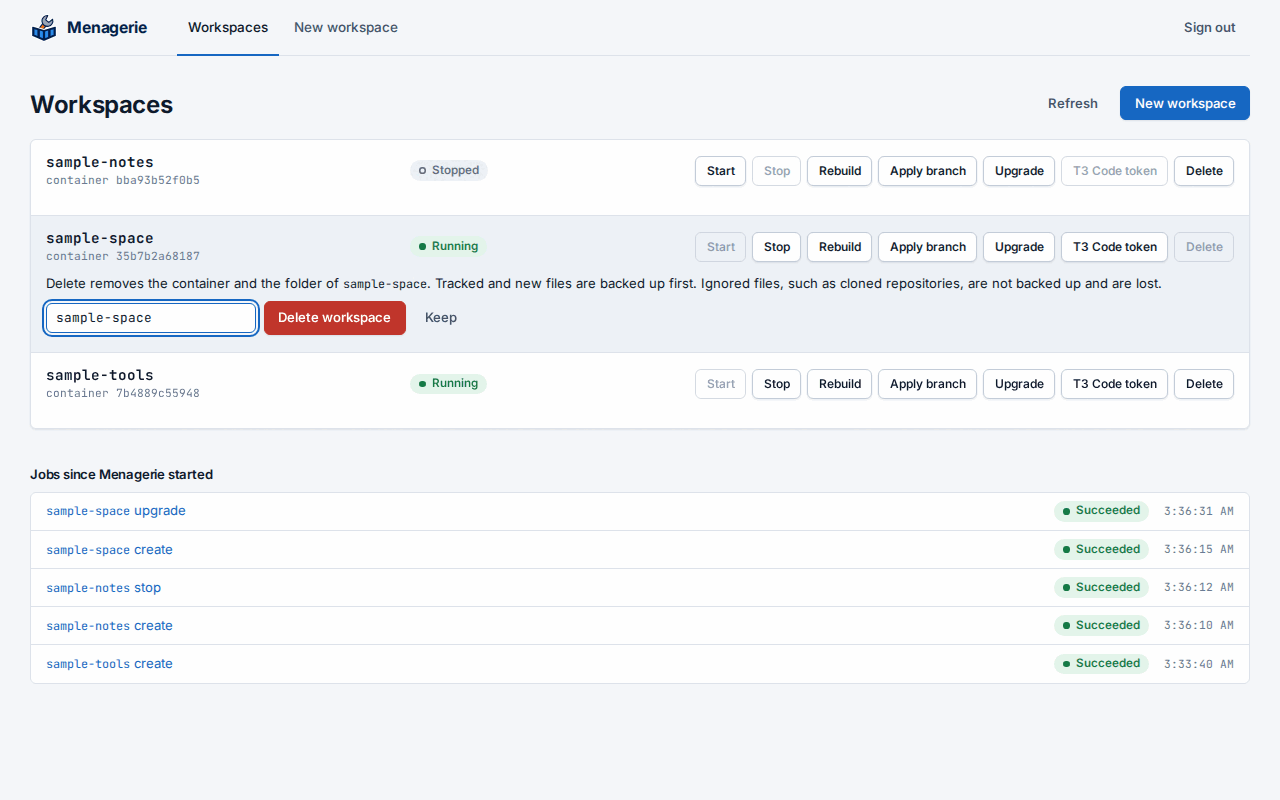
Delete on a row asks you to type the workspace’s name, and removes the workspace from the host. Ignored files, such as cloned repositories, are not in the backup and are lost. The console shows these phases:
read-definition: the job fails asdelete-refusedwhile a running container outside the workspace mounts its folder, and asprovisioning-unavailablewhen the workspace holds a binding or a key thatprovisioningcannot reach. Nothing changes.stop: the devcontainer, and for Compose every service of its project.commitandbackup: tracked and new files, as a commit does. A folder with no applied record, such as one whose generation failed, has no backup. A failure here removes nothing and leaves the devcontainer stopped.unbind: the Wyrwood binding, when the workspace has one. The console shows a warning, or a token that may stay valid until it expires.remove-container: the workspace’s containers.revoke-key: the Xolotl key, when the workspace has one.remove-folder: the workspace socket’s folder, then the workspace folder. A throwaway container that runs as root removes the folder, in the runner image, which needssh,mvandfind.
A failed delete keeps what it finished. Delete again continues from what is
left. Once remove-folder has taken the repository, Start and Rebuild
fail as delete-unfinished, and Delete finishes the removal with no second
backup.
These stay: the workspace’s branch in the workspace repository, images, Compose
volumes and networks, and bind sources outside the folder. A later create of that
name copies the branch to archive/<name>-<UTC stamp> first. The agent’s empty
consumer directory stays until the next host restart.
A binding or a key that another workspace’s definition declares stays, and the console says so.
Time limits
The job console shows how long a job has run. When the configuration sets
job time limits, it also shows the
limit that ends first and the time left; while a job waits for your
answers the limit pauses. A job past its limit fails with timed-out, and
the message names the phase and the limit.